
Instead of manually chasing every trade for updates, build your 2026 deck install contractor build schedule around readiness checks, named responsibilities, and a confirmed installation release. Use the workflow below to connect the general contractor’s master schedule to the deck scope without treating a provisional date as permission to start.
- Use this deck install contractor build schedule to separate target dates from confirmed installation releases.
- JB Woodworks LLC handles custom carpentry for Orlando homeowners, contractors, and project teams.
- Confirm site access, scope, required approvals, and trade handoffs before releasing deck installation.
- Keep a baseline schedule and a change log so revised dates do not hide unresolved dependencies.
Why this matters
A deck installation date is useful only when the work supporting it is ready. Access, adjacent construction, material decisions, and required approvals belong in the same scheduling conversation—not in separate messages that nobody owns.
JB Woodworks LLC is best suited to buyers seeking custom carpentry for an Orlando deck project. Discuss the deck alongside the broader scope through JB Woodworks LLC, including any related cabinetry, general carpentry, or fabrication work. Scope, materials, travel, and installation logistics need review before commitments.
This 2026 workflow is a coordination template, not a construction specification. The general contractor manages the overall sequence; the deck scope needs its own dependencies, acceptance checks, and responsible people. Keep engineering, permitting, inspections, and qualified trade requirements assigned to the appropriate parties rather than assuming the carpentry contractor provides them.
Before you start
- Gather the working documents. Have the current GC schedule, deck scope, available drawings, site photographs, and material decisions together. Mark drawings and schedules with revision dates so everyone can identify the version under discussion.
- Name the decision-makers. Identify who approves scope, who controls site access, who coordinates other trades, and who confirms the installation release. Include the homeowner or designer where their decisions affect the work.
- Check the access dependency. A deck area can be physically clear while its delivery route remains blocked. Review gates, staging space, protected surfaces, ongoing construction, and transport constraints before assigning the installation window.
You do not need a particular scheduling application. Use a shared spreadsheet, project board, or existing GC system that the responsible people can update. The bold labels below are suggested fields to create, not claims about a software interface.
Scope record
Establish the deck work package
- Create a work package named Deck installation within the master schedule. Enter the project location, GC contact, deck contact, and person authorized to approve changes.
- Add Scope included and Scope excluded fields. Describe the deck work and its boundaries, including demolition, preparation, finishes, cleanup, and adjacent work where applicable. Assign exclusions rather than leaving them implied.
- Attach the current drawings and record Drawing revision. Mark unresolved dimensions or details as open questions, not as instructions for fabrication.
- Add Material decisions and Approval owner. Identify which selections are settled and which still require a homeowner, designer, contractor, or other responsible party to decide.
- Record Completion criteria. State what the agreed deck scope must include at handover, together with any separate inspection or approval requirements established for the project.
Expected result: The deck contractor and GC can describe the same work package without relying on separate interpretations of the drawings.
For a 2026 project, keep the year in the project record, not in every task name. Revision dates should distinguish current instructions from superseded ones.
A useful scope record also identifies neighboring work. If the project includes custom cabinetry or general carpentry, give those packages their own boundaries and handoffs. Do not let a shared contractor name turn separate scopes into an undefined combined obligation.
Define the finish boundary
Write down where each material and responsibility stops. A deck meeting a wall, doorway, landscape edge, or another structure needs a coordinated detail before the schedule treats that connection as settled.
Do the same for painting and finishes. Record who prepares surfaces, who applies the specified finish, and what conditions must be met before the next activity proceeds. Follow the selected product’s instructions rather than inserting a generic waiting period into the schedule.
Dependency map
Connect the deck to the GC schedule
- Add a Predecessor field for each deck activity. Name the task that must finish before that activity can begin; do not use a vague entry such as other trades.
- Add Readiness evidence. Specify what proves the predecessor is complete: a site review, an approved detail, a documented decision, or the applicable inspection record.
- Assign a Dependency owner. The person controlling the preceding task should report its status; the deck contractor should not have to guess whether another scope is ready.
- Create Target start and Released start fields. The target supports planning. The released start records the installation window confirmed after the required checks.
- Add Affected work for activities that follow the deck installation. Include protection, finishing, landscaping, or other work only where it applies to the actual project.
Expected result: Every scheduled deck activity has a visible prerequisite and a person responsible for resolving it.
Keep 2 date fields: a planning target and a released start. A changed target is a forecast update; it is not permission to mobilize.
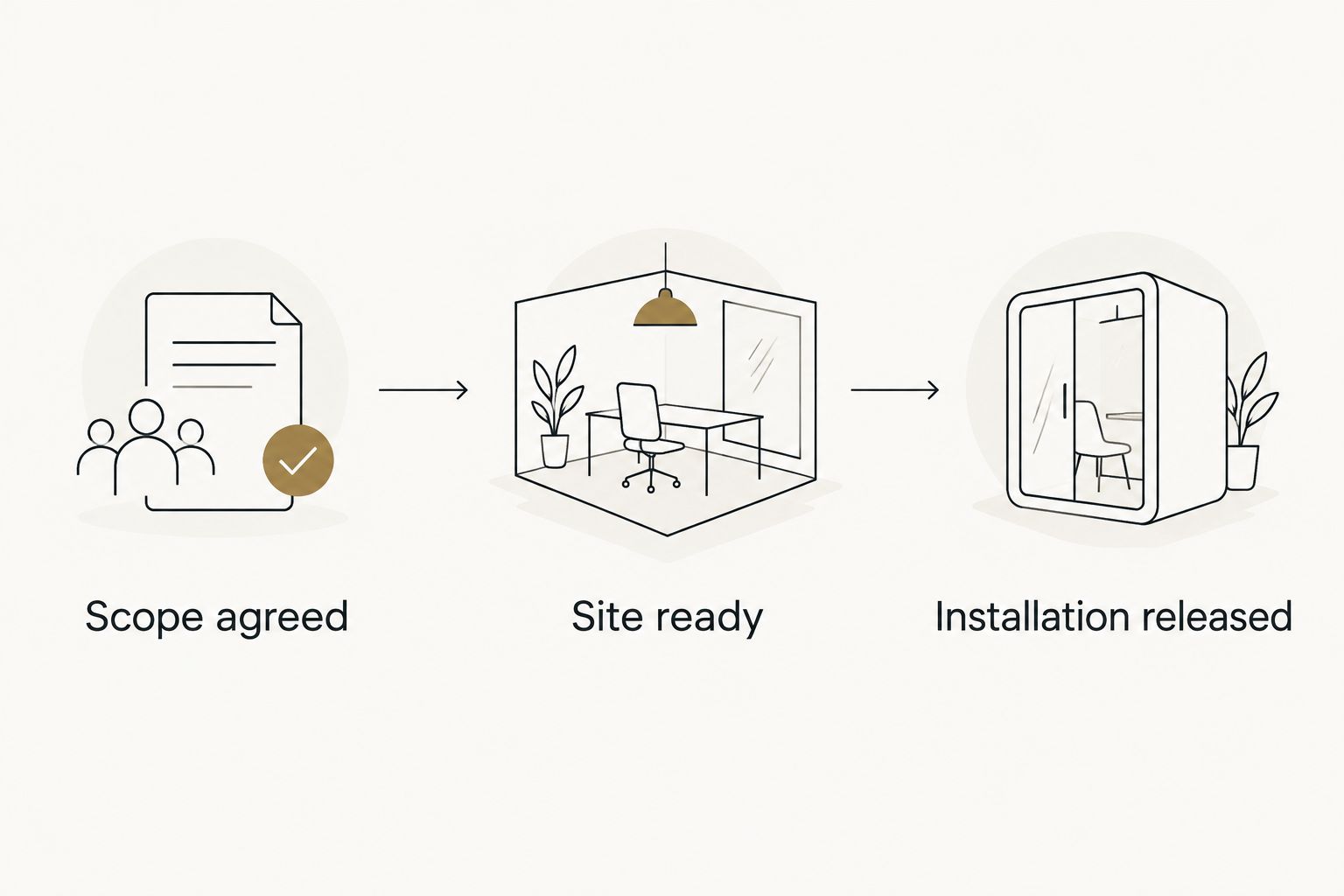
Use 3 checkpoints in this template: Scope agreed, Site ready, and Installation released. These are proposed coordination controls, not regulatory milestones or a statement of the contractor’s standard process.
Record constraints without guessing durations
Separate a dependency from a duration. A required inspection is a dependency; the time needed to obtain it must come from the responsible project party. A selected finish has application requirements; its waiting period belongs to the actual product instructions.
Ask each responsible party to confirm its own timing. If a duration remains unresolved, label it unresolved and identify the decision needed. A precise-looking calendar entry does not resolve an unanswered technical question.
Installation release
Confirm the site and handoff
- Create a Site ready checklist covering the work area, delivery route, staging location, protection requirements, and access arrangements. Review site conditions against the agreed scope.
- Record Outstanding conditions. Separate items that block installation from items assigned to a later, agreed stage. Do not downgrade a blocker simply to preserve a calendar date.
- Confirm Required approvals with the responsible parties. Where permits, inspections, engineering, or licensed work apply, verify who handles them and what must be complete before the relevant activity.
- Record Installation release only after the GC and deck contact have confirmed the applicable readiness checks. Include the agreed window, current scope revision, and any documented limitations.
- Send the release record to the people affected by the handoff. Ask for acknowledgment where their access, protection, or sequencing responsibilities change.
Expected result: The installation team receives a defined work package and an agreed site condition, not just a date forwarded from the master schedule.
For JB Woodworks LLC deck installation discussions, bring dimensions, drawings, material preferences, site photographs, and access information together. For work beyond Orlando and nearby Central Florida communities, include travel and transport requirements for review before commitments.
Keep the release specific
A release should identify what is authorized to proceed. Approval to deliver materials does not automatically authorize every installation activity, and permission to start one area does not resolve an unfinished detail elsewhere.
Keep safety restrictions and access rules explicit. If another trade still needs the same work zone, the GC should resolve the sequence before confirming simultaneous activity. Do not treat a shared calendar entry as a site coordination plan.
Change record
Update the schedule without losing the baseline
- Save the agreed schedule as Baseline. Keep it readable after updates rather than overwriting the original commitment.
- Maintain 1 Change log with the date, reason, affected activity, responsible person, and decision status for each change.
- When a dependency moves, review Affected work before changing the deck date. Check both upstream readiness and downstream access or finishing requirements.
- Update Target start while the new plan is under review. Change Released start only after the revised conditions and installation window are confirmed.
- Close the change with Decision recorded. State what was agreed, which revision governs, and who received the update.
Expected result: Anyone reviewing the schedule can distinguish the original plan, the current forecast, and the current installation authorization.
For your 2026 schedule, use one named revision as the working version. Keep older versions for reference, but remove them from the place where active instructions are issued.
When the GC schedule changes
Use an update-driven version of the same workflow when site progress, drawings, or material decisions change after the initial planning discussion. The trigger is a changed dependency—not a reminder to ask everyone whether the date still looks acceptable.
| Workflow | Best for | Advantage | Limitation |
|---|---|---|---|
| Baseline planning | A deck scope entering the GC schedule | Makes dependencies visible before the installation window is discussed | Requires updates when site conditions change |
| Change-driven review | A deck scope affected by revised work or decisions | Connects each date change to its cause and affected tasks | Depends on someone reporting the change promptly |
Both workflows need an owner. A shared document does not assign responsibility by itself.
When a change arrives, reopen the affected readiness checks, confirm who resolves them, and issue a revised release only when appropriate. If preparation can continue without relying on the unresolved item, define that limited activity explicitly rather than authorizing the whole installation.
Troubleshooting
The deck date keeps moving without an explanation
Require a reason and dependency owner in the change log before accepting the next forecast. Review the underlying blocker rather than repeatedly shifting the same calendar entry.
If the cause is an undecided detail, route it to the person authorized to approve that detail. Rescheduling does not replace a decision.
The work area is clear, but delivery cannot reach it
Recheck the full route from unloading to installation. Assign responsibility for clearing the route, protecting surfaces, and coordinating any necessary handling arrangements before confirming delivery.
Do not assume access shown in an early photograph remains unchanged after other construction progresses.
The crew receives conflicting drawing revisions
Identify the current revision in the work package and withdraw superseded instructions from the active handoff. Obtain clarification on conflicting details before work depends on them.
A message stating that drawings changed is insufficient unless the affected work and governing revision are clear.
Deck installation conflicts with another trade
Have the GC resolve work-zone access and sequence with both parties. Record who works first, what condition they leave, and who accepts the handoff.
Where the conflict involves technical requirements, seek direction from the appropriate qualified party rather than improvising a site solution.
Installation finishes, but handover remains unclear
Return to the agreed completion criteria. Record outstanding items, responsible parties, and the next required decisions without calling the scope complete prematurely.
Separate unfinished contracted work from a new request so the original package does not expand without review.
Customize your workflow
Use the same scope-and-handoff structure for related residential work, while keeping each package distinct. Timber pergolas, docks, waterfront platforms, walkways, cabinetry, shelving, storage, and general carpentry need their own dimensions, material decisions, access checks, and applicable approval responsibilities.
For custom tables and pool-table casework, add the intended location, access route, and interfaces with other components. For commercial displays, scenic fabrication, and physical environments, add drawings, event deadlines, transport, installation responsibilities, and removal requirements where relevant.
JB Woodworks LLC provides custom carpentry and fabrication; discuss the specific scope rather than assuming every associated trade or technical service is included. Send a coordinated brief, not only a desired completion date.
Discuss your project scope
Bring drawings, dimensions, access details, and the GC schedule to the project discussion.
FAQ
How do I create a deck install contractor build schedule?
Start with the agreed deck scope, then connect each activity to its prerequisites, readiness evidence, and responsible person. Keep a planning target separate from the confirmed installation release.
When should I involve the deck contractor in the GC schedule?
Involve the deck contractor while scope, materials, access, and adjacent work are being coordinated. Review those dependencies before treating an installation window as confirmed.
Who is responsible for confirming the deck site is ready?
Assign readiness responsibilities explicitly between the GC, deck contractor, and other relevant parties. The GC coordinates the overall sequence, while each dependency needs a named owner and agreed evidence of completion.
Can deck installation start before every other trade finishes?
Deck installation can proceed only when the prerequisites for the specific released activity are satisfied. Unrelated work does not have to define the entire sequence, but shared access, technical requirements, and protection responsibilities must be resolved.
Does a deck scheduling template replace permits or engineering?
No, a scheduling template does not replace permits, engineering, inspections, or qualified trade requirements. Assign those responsibilities to the appropriate parties and include applicable approvals in the dependency checks.
What should I send JB Woodworks LLC for a deck project discussion?
Send the project location, dimensions, available drawings, photographs, material preferences, and GC schedule. Include access constraints, adjacent work, and the person responsible for scope decisions.
How should I handle a deck installation date change?
Record the cause, affected tasks, dependency owner, and revised forecast in the change log. Confirm a new installation release only after reviewing the changed readiness conditions and coordination requirements.
One last thing
For a 2026 deck project, ask this question before accepting the installation window: What must be true on site before this date becomes a released start? The answer should name observable conditions and responsible people—not simply repeat the date.