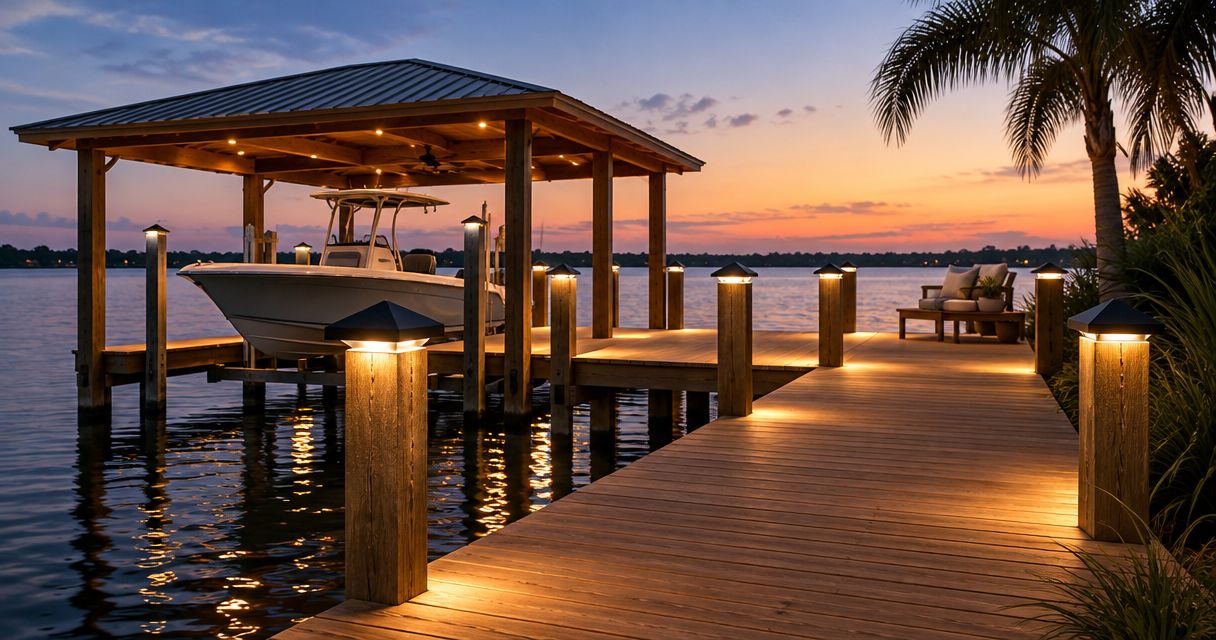
Best overall: shielded low-voltage post lights. Best for elevation changes: recessed step lights. Best for simple edge marking: solar dock markers. For Central Florida waterfronts in 2026, choose lighting by the walking route, mounting conditions, and electrical scope—not by how brightly it illuminates the water.
- Best dock lighting Central Florida verdict: shielded low-voltage post lights suit the main walking route.
- Recessed step lights highlight elevation changes; under-rail lights keep fixtures away from the walking surface.
- Solar dock markers suit supplementary edge marking, not a substitute for a reviewed electrical lighting plan.
- JB Woodworks LLC builds custom docks; confirm carpentry and qualified electrical responsibilities separately.
Why this matters
A dock lighting plan has to work from the house, along the walkway, and at the water-facing platform. A visible bulb can create glare without clearly showing a step or edge. Start with what you need to see underfoot.
JB Woodworks LLC is a fit for Orlando homeowners seeking custom dock carpentry planned around their space. Review the studio’s custom carpentry and fabrication services, then identify which lighting decisions affect posts, rails, decking, and access. Electrical design, wiring, and connections belong in a separately confirmed qualified-trade scope.
What makes the best dock lighting
Use these criteria to compare dock lighting options for a 2026 project:
- Useful light: Aim illumination at walking surfaces, changes in level, and working areas rather than open water.
- Glare control: Prefer shielding and placement that keep the source out of seated and approaching sightlines.
- Exposure suitability: Match the complete fixture, connections, and installation method to rain, splash, or immersion exposure.
- Mounting compatibility: Confirm how fixtures attach without obstructing walking, docking, rail use, or maintenance.
- Service access: Leave a practical way to replace components without unnecessary removal of finished carpentry.
- Defined responsibilities: Name who selects, supplies, mounts, wires, tests, and maintains each component.
Dock lighting options at a glance
These are fixture categories, not tested product models. Their ranking reflects the job each performs on a residential dock.
| Option | Best for | Standout feature | Key limitation |
|---|---|---|---|
| Shielded low-voltage post lights | Main walking routes | Downward illumination from a raised mounting point | Requires a planned power and cable arrangement |
| Recessed step lights | Changes in elevation | Places light near the walking surface | Needs coordinated recesses and service access |
| Under-rail linear lights | Keeping fixtures off the deck | Concealed illumination beneath a rail | Connections and channels need careful detailing |
| Solar dock markers | Supplementary edge marking | Avoids a wired power feed to each marker | Output depends on solar charging conditions |
| Shielded motion-controlled task lights | Occasional working areas | Lights a defined task when triggered | Poor aiming or controls can create nuisance light |
| Underwater accent lights | Decorative water effects | Illuminates below the surface | Does not replace lighting on the walking route |
1. Shielded post lights: best for main dock walking routes
Shielded low-voltage post lights direct light toward the deck from posts or purpose-made mounting points. They are the default choice when you want a clearly defined route without putting every fixture into the walking surface.
Position them around actual movement: the approach, turns, platform entrance, and places where people stop. Avoid treating equal spacing as the main objective. A lighting layout should explain what each fixture illuminates.
Shielded post light pros:
- Raised mounting keeps fixtures away from shoes and routine foot traffic.
- Shielding helps control direct views of the light source.
- Separate fixtures let you address distinct sections of the route.
Shielded post light cons:
- Posts, cable routes, and power equipment need coordination.
- Poorly positioned fixtures can interfere with lines or docking activities.
Best for: Homeowners planning regular evening access along a dock or waterfront walkway.
Verdict: Buy once mounting locations, exposure suitability, and the electrical installation scope are confirmed.
2. Recessed step lights: best for elevation changes
Recessed step lights place illumination close to stair treads or transitions between levels. Their purpose is to reveal the surface you are about to use, not to decorate every riser.
Coordinate the fixture body before cutting timber or finishing trim. The recess, mounting depth, cable entry, and replacement method all affect the carpentry. Check the view from both directions of travel, including the approach from the water-facing end.
Recessed step light pros:
- Light sits close to the change in level.
- Recessed placement avoids projecting fixtures beside the step.
- A targeted layout separates step lighting from general platform lighting.
Recessed step light cons:
- Retrofitting requires openings in existing material.
- An inaccessible fixture can make later replacement disruptive.
Best for: Docks with stairs, raised landings, or a distinct transition onto the platform.
Verdict: Buy for identified elevation changes, with fixture details approved before carpentry begins.
3. Under-rail linear lights: best for unobtrusive fixtures
Under-rail linear lights conceal the light source beneath a rail or compatible trim detail. They suit a dock where you want illumination without adding visible fixture bodies across the deck.
Plan the whole assembly, not just the light strip. Channels, end connections, cable entries, controls, and access points need exposure-appropriate detailing. Concealment should not mean permanently enclosing components that require service.
Under-rail light pros:
- Keeps fixtures off the main walking surface.
- Uses an existing rail line as a mounting location.
- Can conceal the source from normal standing views when detailed correctly.
Under-rail light cons:
- An exposed strip can create glare instead of concealment.
- Corners, joints, and service access add coordination work.
Best for: A dock with a suitable rail or trim detail and an agreed maintenance approach.
Verdict: Hold until the rail profile, shielding, connection details, and component access are resolved.
4. Solar dock markers: best for supplementary edge marking
Solar dock markers combine a light, rechargeable battery, and solar charging surface. They avoid running a wired feed to each marker, which makes them a distinct option for limited marking tasks.
Their charging conditions matter. Shade from trees, covers, or nearby structures affects the energy available to recharge the battery. Review the proposed location and manufacturer’s instructions rather than assuming every exposed dock position performs alike.
Solar marker pros:
- No wired supply is needed at each individual marker.
- Discrete units let you mark selected locations.
- Surface-mounted designs avoid some concealed cable-routing work.
Solar marker cons:
- Charging and runtime depend on the product and site conditions.
- Raised units can obstruct feet, equipment, or dock lines.
Best for: Supplementary marking where you have suitable sun exposure and clear mounting positions.
Verdict: Buy for supplementary marking; skip as the sole answer to an unassessed nighttime access problem.
5. Motion-controlled task lights: best for occasional dock work
A shielded motion-controlled task light illuminates a defined area when its sensor activates. Consider this category for occasional loading or equipment handling, rather than continuous illumination along the entire waterfront.
Aim the light at the working surface and review the detection area. Movement outside the intended work zone can trigger unwanted illumination. Check the effect from neighboring properties and from the approach to the dock.
Motion-controlled task light pros:
- Directs illumination toward a specific working area.
- Controls reduce the need for continuous operation.
- Separates task lighting from quieter route lighting.
Motion-controlled task light cons:
- Sensor placement can cause unwanted activation.
- A bright, visible source can interrupt views and create glare.
Best for: A defined dock work area used intermittently after dark.
Verdict: Hold until aiming, detection coverage, switching, and neighboring sightlines have been reviewed.
6. Underwater lights: best for decorative water effects
Underwater accent lights illuminate beneath the surface. Treat them as a separate decorative decision, not as lighting for steps, deck edges, or the route back to the house.
This category needs a product and installation arrangement explicitly suitable for the intended immersion conditions. Water level, access for service, mounting, and the applicable electrical requirements must be addressed before selection.
Underwater light pros:
- Creates an effect that above-deck fixtures do not provide.
- Keeps the decorative source below the walking surface.
- Can be controlled separately from access lighting.
Underwater light cons:
- Does not directly illuminate the walking route.
- Immersed components introduce additional servicing considerations.
Best for: Owners with a separate decorative brief after access lighting is resolved.
Verdict: Wait until the walking route, electrical requirements, and maintenance responsibilities are settled.
How the options are ranked
This 2026 ranking prioritizes useful walking-surface illumination, glare control, mounting compatibility, exposure, and service access. Shielded post lights take the default position because they address the main route; step lights take priority wherever the dock changes level.
The ranking does not compare measured brightness, durability, or runtime between products. Those decisions require the actual fixture documentation and site conditions. JB Woodworks LLC dock carpentry planning should identify mounting and access needs without treating carpentry scope as electrical approval.
Read the rating before choosing the fixture
For a 2026 specification, distinguish voltage from exposure protection. A 12 V or 24 V system describes supply voltage, not whether a fixture or connection is suitable for a waterfront location. Low voltage does not remove the need for correct equipment and installation.
Under the IEC 60529 ingress-protection system, IP65 addresses dust-tightness and water jets; IP67 adds protection against temporary immersion under specified test conditions. IP68 concerns immersion under conditions specified by the manufacturer. These are different claims, not interchangeable descriptions of a waterproof light.
An IP rating does not establish corrosion resistance or approve a complete dock installation. Have the qualified electrical trade confirm the applicable listing, installation instructions, connections, protection, and local requirements. Do not select a fixture on its IP number alone.
Prepare a dock lighting brief before requesting commitments
A useful 2026 brief connects the lighting idea to the dock’s construction. JB Woodworks LLC builds docks, waterfront platforms, and walkways; describe the carpentry work you need while keeping electrical responsibilities explicit.
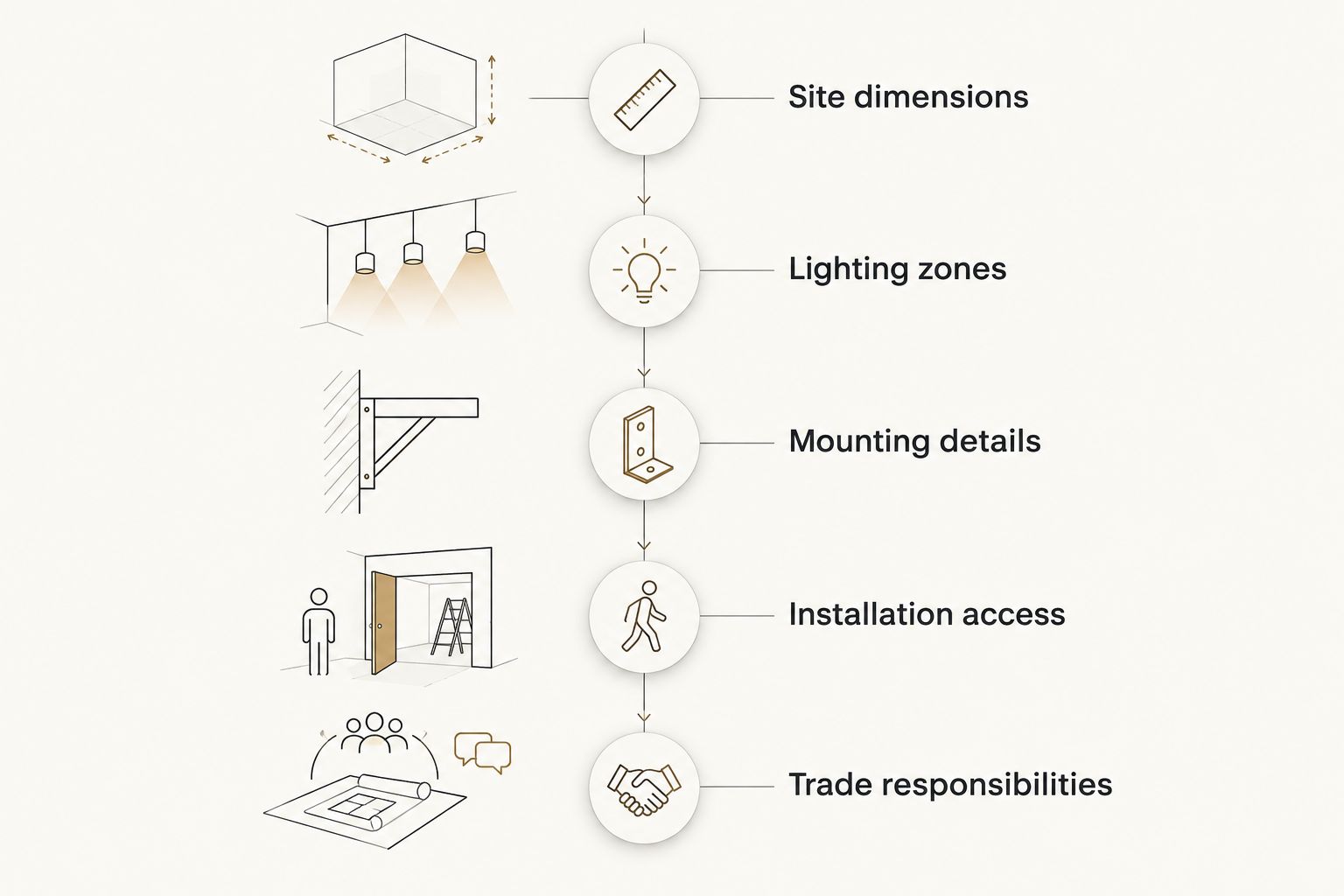
Use this sequence to prepare the request:
- Site dimensions: Provide walkway and platform dimensions, step locations, rail positions, and photographs from both ends. Mark dimensions as measured or approximate.
- Lighting zones: Identify the walking route, elevation changes, seating, and working areas. Separate decorative water lighting from access lighting.
- Mounting details: Share fixture drawings, materials, proposed attachment points, and cable-access requirements. Identify any existing finishes that must remain undisturbed.
- Installation access: Explain the route from parking to the waterfront, site restrictions, transport constraints, and the requested project deadline.
- Trade responsibilities: Name who selects fixtures, reviews electrical requirements, supplies components, performs wiring, and approves carpentry openings.
Ask each proposal to distinguish confirmed work from items awaiting fixture selection or site review. A deadline is a request to assess, not a commitment until scope, materials, access, and coordination are agreed. Include any homeowner association or waterfront approval information already available.
Use the project inquiry page to describe the dock carpentry, attach the available drawings, and explain the lighting coordination needed. Work beyond Orlando and nearby Central Florida communities should be discussed subject to scope and logistics.
Which dock lighting should you choose?
Choose shielded low-voltage post lights as the default starting point for the main route, then add recessed step lights where levels change. Use under-rail lighting when the rail detail supports concealment and servicing. Keep solar markers supplementary and underwater lighting decorative.
Before ordering, ask the project team to review the proposed positions from standing, seated, and approaching viewpoints. Resolve glare and mounting conflicts on the layout rather than accepting them after installation.
FAQ
What's the best dock lighting for Central Florida waterfronts?
Shielded low-voltage post lights are the best default starting point for a dock's main walking route. Add targeted step lighting where elevations change, and confirm fixture suitability and electrical requirements for the actual site.
Are solar dock lights better than wired dock lights?
Solar dock lights are better suited to supplementary marking where avoiding a wired feed is the priority. Wired systems require electrical planning, while solar performance depends on charging conditions and the selected product.
Can I use outdoor patio lights on a dock?
An outdoor label alone does not establish suitability for a dock. Have the qualified electrical trade review the fixture's listing, exposure limits, connections, mounting instructions, and intended location.
Does an IP68 rating mean a dock light needs no further checks?
No. IP68 addresses immersion under manufacturer-specified conditions, not every waterfront installation requirement. Corrosion suitability, electrical listing, mounting, connections, and service access still need review.
Can JB Woodworks LLC handle dock lighting installation?
JB Woodworks LLC's verified scope includes custom dock carpentry, not a stated electrical installation service. Ask which mounting and access details belong in the carpentry proposal and assign electrical work to an appropriately qualified trade.
What should I send for a dock lighting project quote?
Send dock dimensions, photographs, proposed lighting zones, fixture information, access constraints, and your requested deadline. Identify the carpentry changes and who is responsible for electrical selection, wiring, and approvals.
Should I choose underwater lights for my 2026 dock project?
Choose underwater lights only for a separate decorative purpose after addressing the walking route. Confirm immersion suitability, electrical requirements, mounting, and maintenance access before committing to the installation.
One last thing
A concealed light should not become an inaccessible light. Before approving a rail, step, or trim detail, ask how the fixture and its connections will be reached for replacement. That question belongs on the drawing, before the carpenter closes the opening.